MxToolbox Alternative for API-First Domain Health Checks in 2026
MxToolbox is familiar to teams that troubleshoot DNS, email, blacklist, and monitor status. The buying question for platform and security teams is narrower: do you need an email diagnostics suite, or do you need programmable domain health evidence that fits release gates, audits, and incident workflows?
The phrase MxToolbox alternative can mean two different things. For a mail team, it may mean SPF, DKIM, DMARC, blacklist, SMTP, and monitor workflows. For an infrastructure team, it often means a repeatable way to collect current-state evidence across domains, IPs, certificates, headers, and approved public services.
Those are different jobs. The first is email deliverability and reputation work. The second is operational evidence: what does this domain resolve to, who controls the registration, which network owns the IP, is the certificate valid, what headers are exposed, and are the expected ports the only ones open? A useful buyer guide has to keep that distinction visible.
Where MxToolbox Is the Better Fit
MxToolbox publicly positions its API around DNS lookups, blacklist checks, email diagnostics, and monitoring. Its API reference lists commands such as MX, SPF, DKIM, DMARC, blacklist, SMTP, and related network checks. If your team is primarily asking, "Are our sending domains listed, misconfigured, or failing mail-specific checks?", then MxToolbox belongs in the evaluation.
Do not force a domain operations platform to be a mail reputation product. You will get a cleaner procurement decision by separating email deliverability depth from API-first infrastructure evidence. Some teams need both. Others only need the second category because the email security stack already owns blacklist monitoring, inbound filtering, and mail-flow tests.
Where Ops.Tools Fits Better
Ops.Tools is strongest when the workflow needs documented API calls for broad domain health checks rather than a human-first troubleshooting console. The live OpenAPI document lists endpoint families for DNS lookups, WHOIS data, IP details, SSL checks, HTTP analysis, and scoped port scanning. The same public spec documents API key authentication through the x-api-key header or query parameter.
That surface is useful for buyers who need evidence to move through a pipeline: release validation, vendor intake, MSP client audits, domain portfolio reviews, certificate renewal checks, exposure reviews, and incident triage. For DNS-based email controls, the verified API path is the DNS TXT lookup endpoint, while the live email authentication page helps teams inspect SPF, DKIM, and DMARC in the product experience.
Buyer Decision Matrix
| Buying need | Best evaluation path | What to verify |
|---|---|---|
| Email blacklist and SMTP diagnostics | Evaluate MxToolbox directly | Blacklist coverage, monitor model, mail commands |
| API-first domain health evidence | Evaluate Ops.Tools | DNS, WHOIS, IP, SSL, headers, ports, usage exports |
| Security intelligence depth | Compare SecurityTrails and WhoisXML API | Historical DNS, risk data, enrichment depth |
| Specialized IP data | Compare IPinfo with your current IP vendor | ASN, privacy signals, datasets, usage scale |
| Public DNS propagation screenshots | Use public checkers where a human view is enough | Region list, caching behavior, export options |
Step-by-Step Vendor Evaluation Workflow
- Write the job before the shortlist. Separate mail deliverability, infrastructure diagnostics, domain portfolio governance, certificate lifecycle checks, and incident response. One vendor may cover several, but the scorecard should not blur them.
- Create a mixed asset manifest. Include root domains, sending subdomains, production hostnames, vendor domains, approved IPs, expected DNS record types, known DKIM selectors, certificate owners, and approved public ports.
- Run the same API checks for every candidate. Save the request, response, timestamp, endpoint name, and owner. Human screenshots can help troubleshooting, but procurement needs repeatable evidence.
- Score alert routing honestly. If you send findings to a SIEM, ticket queue, spreadsheet, or chat channel with your own worker, call it API-based automation. Only call something native when the vendor documents that destination.
- Model volume from real loops. Bulk audits, daily monitors, release gates, and incident bursts behave differently. A low-cost plan can become the wrong plan when every domain requires six endpoint calls and retries.
- Keep failure examples. A vendor that returns clear, owner-ready failures is more valuable than one that only returns a bigger JSON object.
Commercial Traps to Avoid
The most common buying mistake is comparing a troubleshooting tool, a security research dataset, an IP data provider, and a domain operations API as if they were interchangeable. They overlap on surface nouns, but the operating model is different. A mail team may need blacklist and SMTP depth. A threat team may need historical passive DNS and entity enrichment. A platform team may need current-state checks that can run inside a change window and produce a ticket-ready artifact.
Another mistake is treating "monitoring" as one feature. Monitoring can mean a vendor-hosted alert, a webhook into customer automation, a scheduled job in your own CI runner, a spreadsheet export for an MSP, or a daily SIEM enrichment file. Those are all valid patterns, but they carry different ownership and compliance implications. During evaluation, write down who stores the evidence, who receives the alert, how retries are handled, and what happens when the endpoint returns a partial result.
Pricing can hide the same problem. A single domain health check may involve one DNS request, one WHOIS request, one IP lookup, one certificate inspection, one HTTP analysis call, and one scoped port scan. If you run that across a thousand domains every day, the commercial shape is very different from a developer running a few ad hoc lookups. Use the cost modeling guide to turn workflow volume into request volume before you compare plans.
A Practical Shortlist by Team
| Team | Primary question | Evaluation emphasis |
|---|---|---|
| Security operations | Can we enrich alerts without manual lookup tabs? | WHOIS, IP/ASN, SSL, headers, evidence retention |
| Platform and SRE | Can we validate changes before traffic moves? | DNS, certificate state, HTTP redirects, port allowlists |
| Domain operations | Can we spot ownership, expiry, and registrar drift? | WHOIS parsing, bulk audits, owner mapping |
| Email and deliverability | Are mail records, SMTP checks, and blocklists healthy? | MxToolbox-style mail diagnostics plus DNS TXT evidence |
| MSP or consultancy | Can we run repeatable audits across client assets? | Bulk manifests, exports, client-safe summaries |
Technical Implementation: Build a Domain Health Pack
The simplest pilot is a small script that calls the documented Ops.Tools endpoints for one asset and stores the normalized result. Start with one domain. Then add bulk processing once the output is useful to the people who will act on it.
Check DNS TXT Records for Email Controls
curl -sG "https://api.ops.tools/v1-dns-lookup" -H "x-api-key: $OPS_TOOLS_API_KEY" --data-urlencode "address=example.com" --data-urlencode "type=TXT"Pull Registration Context
curl -sG "https://api.ops.tools/v1-whois-data" -H "x-api-key: $OPS_TOOLS_API_KEY" --data-urlencode "domain=example.com" --data-urlencode "parseWhoisToJson=true"Join DNS, SSL, Headers, and Port Evidence
const apiBase = 'https://api.ops.tools';

async function opsTools(path: string, params: Record<string, string>) {
  const url = new URL(path, apiBase);
  Object.entries(params).forEach(([key, value]) => url.searchParams.set(key, value));

  const response = await fetch(url, {
    headers: { 'x-api-key': process.env.OPS_TOOLS_API_KEY ?? '' },
  });

  if (!response.ok) {
    throw new Error(`${path} failed with ${response.status}`);
  }

  return response.json();
}

export async function buildDomainHealthPack(domain: string) {
  const [dns, whois, ssl, headers, ports] = await Promise.all([
    opsTools('/v1-dns-lookup', { address: domain, type: 'A' }),
    opsTools('/v1-whois-data', { domain, parseWhoisToJson: 'true' }),
    opsTools('/v1-ssl-checker', { domain, port: '443' }),
    opsTools('/v1-analyze-http', { url: 'https://' + domain, followRedirects: 'true' }),
    opsTools('/v1-port-scanner', { target: domain, ports: '80,443,8443' }),
  ]);

  return { domain, checkedAt: new Date().toISOString(), dns, whois, ssl, headers, ports };
}
What to Put in the Final Buying Scorecard
Your final scorecard should be small enough for a buyer to read and specific enough for engineering to defend. Include the workflow fit, endpoint coverage, failure clarity, bulk run behavior, pricing model, authentication pattern, usage reporting, data retention expectations, and alert routing design.
| Scorecard item | Pass condition |
|---|---|
| Workflow coverage | The API supports the actual release, audit, monitoring, or incident path. |
| Commercial fit | Forecasted requests fit a documented plan or credit-pack model with room for bursts. |
| Automation honesty | Native integrations, webhook paths, and customer-owned scripts are labeled correctly. |
| Evidence quality | The output is clear enough to route to domain, platform, security, or email owners. |
Related Ops.Tools Guides
If you are earlier in the evaluation cycle, start with the infrastructure API POC checklist. For pricing math, use the infrastructure API cost model. If your concern is incident response, read the domain incident response runbook.
FAQ
Is Ops.Tools a full MxToolbox replacement?
Only for some buying motions. If the main requirement is API-first evidence across DNS, WHOIS, IP details, SSL certificates, HTTP headers, scoped ports, and DNS-based email records, Ops.Tools is a strong fit to evaluate. If the main requirement is email blacklist monitoring or mail-flow diagnostics, test MxToolbox directly because that is a core part of its public positioning.
Does this workflow require native Slack, PagerDuty, Jira, or SIEM integrations?
No. Treat those as customer-owned automation paths unless a vendor documents the exact native integration. Ops.Tools documents API access, usage reporting, and webhook-oriented plan features, which can feed internal alerting or ticketing workflows.
How should a buyer compare prices?
Model the real run shape instead of comparing headline plan names. Count every DNS, WHOIS, IP, SSL, header, port, and TXT-record request across daily checks, bulk audits, release validation, retries, and incident bursts.
Evaluate Domain Health Checks Against Your Real Workflow
Use the public docs, pricing page, and live tools to test DNS, WHOIS, IP, SSL, HTTP, port, and TXT-record evidence before you choose a vendor.
Related articles
More guides from the same operational area.
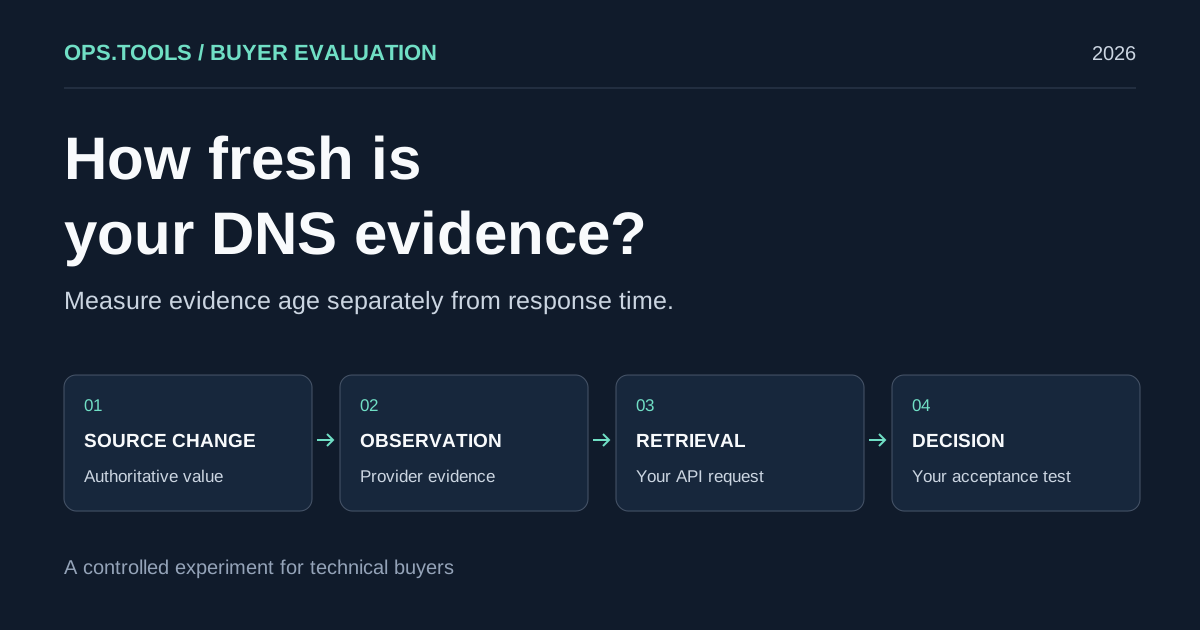
DNS API Data Freshness: A Buyer's Cache Evaluation Test
Evaluate DNS API data freshness with a controlled cache test, evidence timestamps, and buying criteria for release checks, domain audits, and security teams.
White-Label Domain Health APIs for MSPs: A Buyer’s Framework for 2026
Evaluate API-based DNS, WHOIS, IP, SSL, HTTP, and port evidence for branded MSP domain health services, bulk audits, usage controls, and client reporting.
API Usage Governance 2026: Control Credits, Keys, and Team Access Before You Scale
Evaluate domain and network API providers through API key controls, usage exports, credit governance, workflow ownership, bulk jobs, and alert-safe automation.