Security Header Scanning Tools in 2026: What to Buy, What to Script, and What to Measure
A practical evaluation guide for teams that need repeatable checks for CSP, HSTS, CORS, cookies, redirect behavior, and cache policy without turning every audit into a custom script.
The Problem: Headers Decay Quietly
Security headers are easy to lose. A CDN rule changes, a reverse proxy is replaced, an auth service moves behind a new hostname, or a framework upgrade drops a default. The app still loads, uptime graphs stay green, and the mistake may sit in public until a security review finds it.
That is why a security header scanner should be judged less like a one-off web form and more like an operations control. The useful question is not only whether a tool can spot a missing header. It is whether the team can run the same check across production URLs, store the result, compare it to policy, and show an auditor or incident commander exactly what changed.
What Ops.Tools Verifies
The live Ops.Tools API documentation exposes an /v1-analyze-http endpoint for HTTP response headers and transport analysis. The documented response includes the requested URL, final URL, status code, redirect chain, raw headers, security score and grade, missing security headers, CORS details, cookie security attributes, caching signals, compression data, and key recommendations. The public HTTP Headers tool presents the same product area for browser-based testing.
That gives buyers a narrower evaluation surface than a full vulnerability scanner. Use a dedicated scanner when you need crawling, exploit checks, or authenticated app testing. Use an API-based header check when the workflow is about repeatable outside-in posture evidence for known URLs.
Buy, Script, or Use an API?
| Path | Best fit | Watch out for |
|---|---|---|
| Internal curl script | Small teams checking a short list of URLs with simple pass/fail rules. | Weak parsing, no history, and inconsistent output once multiple teams add exceptions. |
| Full web security scanner | AppSec teams that need crawling, auth flows, vulnerability checks, and manual review. | Heavier runs, broader permission requirements, and more noise for simple release checks. |
| Header analysis API | Platform, security, and compliance teams that need repeatable evidence across URLs. | You still own policy decisions, alert routing, and any SIEM or ticketing connection. |
Evaluation Criteria Buyers Should Use
A useful security header scanning tool should answer operational questions, not only produce a grade. Before procurement, test candidate tools against the same production-like URLs and compare the evidence record.
- Coverage: CSP, HSTS, X-Frame-Options, X-Content-Type-Options, Referrer-Policy, cookie attributes, CORS, redirects, compression, and cache directives.
- Output shape: structured JSON with raw headers, normalized findings, and machine-readable status values instead of only a screenshot.
- Repeatability: the same URL should be checked the same way from CI, scheduled jobs, and investigation scripts.
- Evidence quality: timestamp, final URL, status code, redirect chain, recommendation text, and the raw header values that produced the finding.
- Workflow fit: API keys, usage reporting, bulk processing patterns, and enough control to send results to your own alerting or ticketing system.
The Commercial Questions Behind the Tool Choice
A security header scanner usually enters the buying conversation through one of three doors: an audit finding, a platform standardization project, or a recurring production incident. Each path has a different buyer and a different definition of success. A compliance lead wants evidence. A platform team wants repeatable checks. An AppSec team wants enough detail to decide whether a missing header is a real risk or a known exception.
That means the procurement question should not be framed as "which scanner has the highest grade?" A grade is useful for triage, but it is weak as a control by itself. The stronger evaluation asks whether the tool can support the way your organization makes and proves decisions.
| Buyer question | What good looks like | Risk if ignored |
|---|---|---|
| Can we prove what changed? | Timestamped JSON with raw headers and normalized findings. | Audits become screenshots and manual notes. |
| Can teams run this without AppSec? | Clear pass, warn, and fail conditions for service owners. | Every minor header gap turns into a review queue. |
| Can exceptions expire? | Policy records include owner, reason, and review date. | Temporary risk decisions become permanent drift. |
| Can it scale across portfolios? | Bulk workflows, stable API responses, and usage reporting. | The process works for ten URLs and collapses at one hundred. |
A Practical Policy Model
Start with a policy that is small enough to enforce. Many teams fail because they copy a long checklist into CI and then discover that half their estate cannot pass it. Use three levels instead.
Baseline
Required for every public web URL. This usually includes HTTPS behavior, HSTS on production hostnames, basic clickjacking protection where appropriate, safe MIME handling, and secure cookie attributes for session-bearing responses. Baseline failures should create tickets with owners.
Release gate
Required for critical surfaces such as login, checkout, admin, partner APIs, and customer dashboards. These checks can fail the deployment when a required header disappears, a redirect lands on the wrong host, or CORS becomes wider than the service policy allows.
Review lane
Used for findings that need human judgment. A reporting domain may not need the same CSP as an application shell. A public asset domain may have different cache expectations than an authenticated API. The point is to document the decision instead of forcing every URL into one rigid grade.
Step-by-Step Workflow
- Build the URL inventory. Start with production hostnames, login pages, checkout flows, API entry points, documentation sites, and customer-facing dashboards.
- Attach ownership. Store service owner, environment, expected redirect target, and the minimum header policy beside each URL.
- Run the header analysis endpoint. Capture status code, final URL, raw headers, missing headers, cookie flags, CORS posture, and recommendations.
- Classify findings. Block release on critical policy breaks, warn on lower-risk gaps, and track known exceptions with an expiry date.
- Store evidence. Keep raw API output and a normalized summary. Compliance work is much easier when you can show exactly what was observed.
- Route changes. Send failed checks to your ticket queue, SIEM, or internal webhook endpoint. Ops.Tools pricing lists webhook notifications and webhook support, but the public OpenAPI file does not expose a dedicated webhook configuration endpoint, so treat alert routing as your workflow layer unless your plan documentation says otherwise.
What Not to Overbuy
Header analysis is not the same job as dynamic application security testing, cloud posture management, or managed detection. If the only requirement is to check known public URLs for headers and transport evidence, a large security platform may be more process than the team needs. That extra process can be useful in a mature AppSec program, but it can slow down platform teams that simply need a dependable release gate.
On the other side, do not underestimate the cost of a script that becomes critical. The first version is often a few lines of curl. The production version needs retry behavior, structured output, redirect handling, exception records, owner routing, rate control, and storage. If several teams need the same evidence, an API with a documented response shape often costs less than maintaining separate scripts with slightly different opinions.
Technical Implementation
The examples below use the server and authentication pattern shown in the public OpenAPI file: https://api.ops.tools with an x-api-key header. The response fields shown are based on the documented schema, not a performance benchmark.
cURL: scan one URL
curl -G "https://api.ops.tools/v1-analyze-http" \
  -H "x-api-key: $OPS_TOOLS_API_KEY" \
  --data-urlencode "url=https://app.example.com" \
  --data-urlencode "followRedirects=true" \
  --data-urlencode "timeout=10000"
Example response shape
{
  "url": "https://app.example.com",
  "finalUrl": "https://app.example.com/login",
  "statusCode": 200,
  "timestamp": "2026-04-21T12:00:00.000Z",
  "rawHeaders": {
    "content-type": "text/html; charset=UTF-8",
    "strict-transport-security": "max-age=31536000"
  },
  "analysis": {
    "security": {
      "grade": "B",
      "score": 78,
      "missingHeaders": ["content-security-policy"],
      "issues": ["Add a Content-Security-Policy header"]
    },
    "general": {
      "cors": {
        "allowOrigin": "https://app.example.com",
        "status": "good"
      },
      "cookies": [
        {
          "name": "session",
          "secure": true,
          "httponly": true,
          "samesite": "Lax",
          "status": "good"
        }
      ]
    }
  },
  "summary": {
    "overallGrade": "B",
    "keyRecommendations": ["Add strict content security policy"]
  }
}
TypeScript: turn findings into a policy result
type HeaderCheck = {
  url: string;
  finalUrl: string;
  statusCode: number;
  analysis: {
    security: {
      grade: string;
      score: number;
      missingHeaders: string[];
      issues: string[];
    };
    general?: {
      cors?: { allowOrigin?: string; status?: string };
      cookies?: Array<{ name: string; secure: boolean; httponly: boolean; status: string }>;
    };
  };
  summary: { keyRecommendations: string[] };
};

const requiredHeaders = new Set([
  "strict-transport-security",
  "content-security-policy",
  "x-content-type-options",
]);

async function analyzeUrl(url: string): Promise<HeaderCheck> {
  const params = new URLSearchParams({ url, followRedirects: "true", timeout: "10000" });
  const response = await fetch(`https://api.ops.tools/v1-analyze-http?${params}`, {
    headers: { "x-api-key": process.env.OPS_TOOLS_API_KEY ?? "" },
  });

  if (!response.ok) {
    throw new Error(`Header check failed for ${url}: ${response.status}`);
  }

  return (await response.json()) as HeaderCheck;
}

function evaluatePolicy(result: HeaderCheck) {
  const missing = result.analysis.security.missingHeaders.map((header) => header.toLowerCase());
  const missingRequired = missing.filter((header) => requiredHeaders.has(header));
  const insecureCookies = result.analysis.general?.cookies?.filter((cookie) => !cookie.secure || !cookie.httponly) ?? [];

  return {
    passed: result.statusCode < 400 && missingRequired.length === 0 && insecureCookies.length === 0,
    url: result.url,
    finalUrl: result.finalUrl,
    grade: result.analysis.security.grade,
    missingRequired,
    insecureCookies: insecureCookies.map((cookie) => cookie.name),
    recommendations: result.summary.keyRecommendations,
  };
}
Where This Fits With DNS, SSL, and Domain Data
Header posture is one part of public service evidence. Pair it with SSL certificate checks for certificate validity and expiration, DNS record validation for expected hostnames, WHOIS data for domain registration context, and IP details when a finding depends on network owner, country, ISP, or ASN. For a broader security workflow, read the external exposure monitoring playbook.
FAQ
Is a security header scanner a vulnerability scanner?
Not by itself. Header analysis checks visible response configuration. It can catch missing HSTS, weak cookie flags, permissive CORS, or absent CSP, but it does not replace authenticated application testing or vulnerability scanning.
Should this run in CI or on a schedule?
Use both when the surface is important. CI catches release regressions. Scheduled runs catch CDN, proxy, certificate, and platform changes that happen outside the deployment pipeline.
Do teams need native SIEM integration?
Native integration is useful, but it is not required. A documented JSON response lets teams post failed checks to their own SIEM, ticketing, chat, or webhook workflow without claiming the API has a native connector.
Evaluate public web posture with documented APIs
Use Ops.Tools to check HTTP headers alongside DNS, WHOIS, IP, SSL, and scoped network diagnostics from one API documentation surface.
Related articles
More guides from the same operational area.
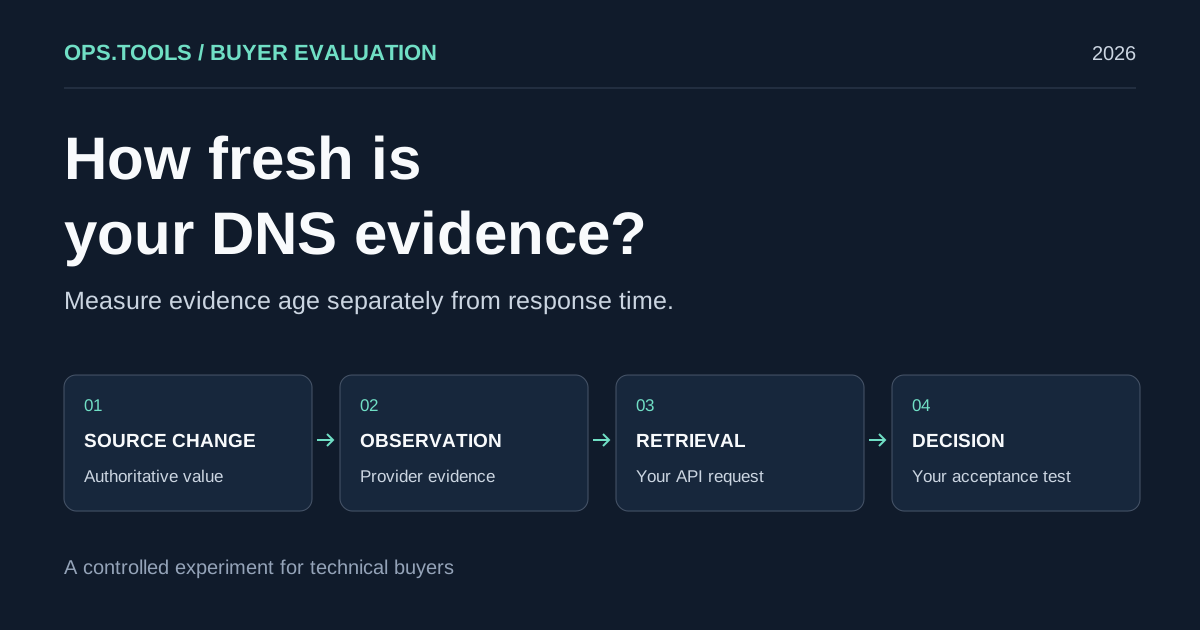
DNS API Data Freshness: A Buyer's Cache Evaluation Test
Evaluate DNS API data freshness with a controlled cache test, evidence timestamps, and buying criteria for release checks, domain audits, and security teams.
White-Label Domain Health APIs for MSPs: A Buyer’s Framework for 2026
Evaluate API-based DNS, WHOIS, IP, SSL, HTTP, and port evidence for branded MSP domain health services, bulk audits, usage controls, and client reporting.
API Usage Governance 2026: Control Credits, Keys, and Team Access Before You Scale
Evaluate domain and network API providers through API key controls, usage exports, credit governance, workflow ownership, bulk jobs, and alert-safe automation.