External Exposure Monitoring: DNS, TLS, Headers, and Port Checks for Production Teams
Your public footprint changes when a deploy ships, a CDN shifts traffic, a certificate renews, or a forgotten service starts listening. Exposure monitoring turns those outside-in checks into a routine instead of a panic task.
The Problem: Production State Drifts in Public
Internal observability tells you how your service behaves after traffic arrives. It does not always tell you whether the public internet can reach the service safely. DNS may point at an old host. A certificate may be valid for the wrong names. A CORS header may widen after a framework upgrade. A debug service may be exposed on a port nobody meant to publish.
Attack surface management platforms solve this broadly, but many SRE, platform, and security teams need a narrower workflow first: run a small set of verified checks against known assets, compare the result to policy, and alert when public state changes. That is external exposure monitoring. It is not a penetration test. It is a disciplined way to keep domain operations, release validation, and security review aligned.
What to Monitor
Ops.Tools documents API endpoints for DNS lookup, parsed WHOIS data, IP details, SSL checks, HTTP response header analysis, and port scanning. The live site also has tool pages for each of those areas. That gives you enough coverage to build a practical exposure record without claiming a native SIEM or SOAR integration.
| Check | Endpoint or page | Exposure signal |
|---|---|---|
| DNS records | DNS lookup | Unexpected A, AAAA, CNAME, MX, NS, or TXT values |
| Registration | WHOIS data | Expiration risk, registrar changes, nameserver ownership |
| Network owner | IP details | Unexpected country, ASN, organization, or hosting provider |
| TLS certificate | SSL checker | Expired, self-signed, short-lived, or wrong-host certificate |
| HTTP headers | HTTP header analysis | Missing HSTS, CSP, cookie flags, cache policy, or CORS drift |
| Open services | Port scanner | Unexpected open ports, service banners, and TLS on scanned ports |
Only scan assets you own or are authorized to test. Port checks belong in a scoped monitoring program, not in a broad sweep of unrelated hosts.
Step-by-Step Workflow
- Create the asset manifest. Store domains, expected hostnames, approved ASNs, service owners, and allowed ports in a versioned file.
- Choose run modes. Run a lightweight check in CI/CD, a scheduled monitor daily or weekly, and a deeper exposure review before high-risk launches.
- Call the documented endpoints. Query DNS, SSL, HTTP headers, and ports directly. Add WHOIS and IP details when ownership or expiration matters.
- Normalize the result. Store one exposure record per asset with timestamps, raw API evidence, policy status, and owner.
- Alert on policy breaks. Post only failed checks to your incident tool, ticket queue, or internal webhook endpoint. Keep warnings routed to the owning team.
- Review drift. Compare each run against the previous accepted baseline so the team can see what changed, not just what failed.
Run Modes in Practice
Exposure monitoring works best when the team chooses the smallest check set that fits the moment. A pull request should not wait on a broad security scan. A weekly security review should not ignore port state just because CI passed. Separate the run modes so each one has a clear owner and latency budget.
Release gate
Run DNS, SSL, and HTTP header checks for the service being deployed. This catches the most common public regressions: wrong DNS target, invalid certificate, missing HSTS, or a header policy removed by a proxy change. Keep the policy strict for user-facing and authentication surfaces.
Scheduled monitor
Run WHOIS, DNS, SSL, IP ownership, HTTP header, and scoped port checks on a schedule. This is where domain expiration tracking, certificate lifecycle checks, drift detection, and security configuration review belong. Store results with timestamps so the team can see when public state changed.
Investigation packet
When an incident ticket includes a domain, IP address, or URL, run targeted enrichment and attach the evidence to the case. The goal is analyst context, not broad coverage: registration details, DNS records, network owner, certificate status, and visible web configuration.
Technical Implementation
The examples use https://api.ops.tools, the server declared in the public OpenAPI file. They also use x-api-key, which the API documentation lists as a supported authentication method.
cURL: capture a focused exposure snapshot
API="https://api.ops.tools"
KEY="$OPS_TOOLS_API_KEY"
DOMAIN="app.example.com"
ROOT="example.com"
URL="https://app.example.com"

curl -G "$API/v1-dns-lookup" \
  -H "x-api-key: $KEY" \
  --data-urlencode "address=$DOMAIN" \
  --data-urlencode "type=A"

curl -G "$API/v1-whois-data" \
  -H "x-api-key: $KEY" \
  --data-urlencode "domain=$ROOT" \
  --data-urlencode "parseWhoisToJson=true"

curl -G "$API/v1-ssl-checker" \
  -H "x-api-key: $KEY" \
  --data-urlencode "domain=$DOMAIN"

curl -G "$API/v1-analyze-http" \
  -H "x-api-key: $KEY" \
  --data-urlencode "url=$URL"

curl -G "$API/v1-port-scanner" \
  -H "x-api-key: $KEY" \
  --data-urlencode "target=$DOMAIN" \
  --data-urlencode "ports=80,443"
Documented response shapes to expect
{
  "dns": { "success": true, "address": "example.com", "type": "A", "records": ["93.184.216.34"] },
  "ip": { "ip": "8.8.8.8", "countryName": "United States", "asn": 15169, "organization": "Google LLC" },
  "http": {
    "statusCode": 200,
    "analysis": { "security": { "grade": "B", "score": 78, "missingHeaders": [] } },
    "summary": { "overallGrade": "B", "keyRecommendations": ["Add strict transport security header"] }
  }
}
TypeScript: build the policy gate
interface ExposureAsset {
  domain: string;
  rootDomain: string;
  url: string;
  allowedPorts: number[];
  approvedAsns: number[];
  owner: string;
}

interface ExposureFinding {
  domain: string;
  owner: string;
  severity: 'notice' | 'high';
  check: string;
  detail: string;
}

const API = 'https://api.ops.tools';
const apiKey = process.env.OPS_TOOLS_API_KEY;

async function getJson<T>(path: string, params: Record<string, string>): Promise<T> {
  const url = new URL(path, API);
  Object.entries(params).forEach(([key, value]) => url.searchParams.set(key, value));

  const response = await fetch(url, { headers: { 'x-api-key': apiKey ?? '' } });
  if (!response.ok) {
    throw new Error(`Ops.Tools request failed: ${response.status}`);
  }
  return response.json() as Promise<T>;
}

async function checkExposure(asset: ExposureAsset): Promise<ExposureFinding[]> {
  const findings: ExposureFinding[] = [];

  const dns = await getJson<{ records?: string[] }>('/v1-dns-lookup', {
    address: asset.domain,
    type: 'A',
  });
  const resolvedIp = dns.records?.[0];
  if (!resolvedIp) {
    return [{ domain: asset.domain, owner: asset.owner, severity: 'high', check: 'DNS', detail: 'No A record.' }];
  }

  const ip = await getJson<{ asn?: number; organization?: string }>('/v1-get-ip-details', { ip: resolvedIp });
  if (asset.approvedAsns.length > 0 && !asset.approvedAsns.includes(ip.asn ?? -1)) {
    findings.push({
      domain: asset.domain,
      owner: asset.owner,
      severity: 'high',
      check: 'IP ownership',
      detail: `Resolved to ASN ${ip.asn ?? 'unknown'} ${ip.organization ?? ''}`,
    });
  }

  const ssl = await getJson<{ certificate?: { isValid?: boolean; daysRemaining?: number; isSelfSigned?: boolean } }>(
    '/v1-ssl-checker',
    { domain: asset.domain },
  );
  if (!ssl.certificate?.isValid || ssl.certificate.isSelfSigned || (ssl.certificate.daysRemaining ?? 0) < 30) {
    findings.push({
      domain: asset.domain,
      owner: asset.owner,
      severity: 'high',
      check: 'TLS certificate',
      detail: `Valid=${ssl.certificate?.isValid}; days=${ssl.certificate?.daysRemaining ?? 'unknown'}`,
    });
  }

  const http = await getJson<{ analysis?: { security?: { score?: number; missingHeaders?: string[] } } }>(
    '/v1-analyze-http',
    { url: asset.url },
  );
  const missingHeaders = http.analysis?.security?.missingHeaders ?? [];
  if (missingHeaders.length > 0) {
    findings.push({
      domain: asset.domain,
      owner: asset.owner,
      severity: 'notice',
      check: 'HTTP headers',
      detail: `Missing headers: ${missingHeaders.join(', ')}`,
    });
  }

  const ports = await getJson<{ ports: { port: number; state: string; service: string }[] }>('/v1-port-scanner', {
    target: asset.domain,
    ports: asset.allowedPorts.join(','),
  });
  const unexpectedOpen = ports.ports.filter((port) => port.state === 'open' && !asset.allowedPorts.includes(port.port));
  if (unexpectedOpen.length > 0) {
    findings.push({
      domain: asset.domain,
      owner: asset.owner,
      severity: 'high',
      check: 'Open services',
      detail: unexpectedOpen.map((port) => `${port.port}/${port.service}`).join(', '),
    });
  }

  return findings;
}
Policy Matrix: What Should Alert?
| Signal | Warning | Page now |
|---|---|---|
| DNS record | Unexpected TXT, MX, or CNAME drift | No production A/AAAA record or wrong target |
| WHOIS | Expiration inside internal renewal window | Domain inactive, wrong registrar, or nameserver takeover risk |
| SSL | Certificate renews soon | Expired, invalid, self-signed, or wrong host |
| HTTP headers | Missing hardening header on low-risk app | Security header removed from payment, login, or admin surface |
| Ports | Expected port changed service banner | Unexpected admin, database, SSH, or remote access port exposed |
CI/CD, Monitoring, and Incident Response
Do not run every check in every place. A CI/CD gate should be fast: DNS target, certificate validity, and HTTP header policy for the service being deployed. Scheduled monitoring should be broader: domain registration, certificate renewal runway, security headers, and a scoped port profile. Incident response should be targeted: enrich the domain or IP address tied to the alert, then attach the evidence to the case.
If you use webhooks, frame them as an alert-routing workflow. The pricing page lists webhook support, but the documented API examples are request/response calls. A common implementation is a scheduled job that calls the Ops.Tools endpoints, evaluates policy locally, then posts failed checks to Slack, PagerDuty, Jira, Sentinel, Splunk, or another system through your own webhook receiver.
Bulk Operations Without Noise
For a large domain portfolio, fan out checks in batches and keep the output stable. One row per asset should include domain, owner, last run, DNS status, WHOIS status, IP ownership status, TLS status, header score, port profile, and current severity. That format works for dashboards, spreadsheets, audit evidence, and human review. It also gives an AI agent a controlled summary to reason over without handing it raw production keys.
MCP can be useful here as orchestration plumbing if your team already uses it internally, but treat that as your own workflow layer. Ops.Tools is verified here as an API-first product through the live pages, pricing page, and OpenAPI file, not as a native MCP server.
Ownership and Evidence Retention
A monitor without owners becomes background noise. Add the service owner, security owner, and domain owner to the asset manifest. DNS drift may belong to platform engineering, certificate renewal to the service team, and suspicious port exposure to security. If ownership is unknown, make that a finding. Unknown owner is often the first sign of shadow infrastructure.
Keep raw JSON for technical review and a normalized summary for humans. The summary should say what changed, why it matters, who owns it, and what action is expected. Raw API output is useful during escalation, but it is too noisy for an executive audit trail or a weekly operations review.
Retention rules should match risk and compliance needs. A release gate may only need the current and previous successful run. A domain portfolio monitor may need months of renewal and nameserver history. A security investigation packet should follow the same retention policy as the incident record it supports.
Use Cases That Benefit Most
This workflow is strongest when public infrastructure matters to revenue, trust, or compliance across web apps, APIs, and critical domains. Domain portfolio teams use it to catch expiration risk, nameserver drift, and unexpected MX or TXT changes before a renewal or email outage becomes visible to customers. Platform teams use it as a deployment guardrail when a release changes routing, CDN configuration, certificate automation, or reverse proxy behavior.
Security teams use the same evidence differently. A new open port, a weakened header policy, or an ASN change can indicate a misconfiguration, shadow service, or vendor routing change that needs review. Incident responders can also attach DNS, WHOIS, IP, SSL, and header evidence to a case so the timeline includes what the public internet saw at investigation time.
Competitive and brand research teams can use a read-only version of the workflow for known domains they are allowed to monitor. Keep that use case separate from production alerting. Research output often belongs in a report or spreadsheet, while production exposure failures belong in an owned queue with remediation dates.
Related Ops.Tools Workflows
Use this post when the new angle is exposure drift. Use the DNS and SSL change evidence workflow when you need before-and-after records for a change ticket. Use the security alert enrichment guide when the trigger is a SIEM or incident response event.
FAQ
Is external exposure monitoring the same as vulnerability scanning?
No. This workflow checks public DNS, registration, network, TLS, header, and port state against your own policy. It can support vulnerability management, but it is narrower and safer to run frequently.
Should port checks run in CI/CD?
Use CI/CD for a scoped profile tied to the service being released, such as 80 and 443 for a web app. Run broader port profiles in scheduled security jobs with written authorization.
Where do WHOIS and IP details fit?
WHOIS helps catch domain expiration and registration drift. IP details help confirm that resolved addresses still sit in expected countries, networks, and ASNs.
Build an Outside-In Monitoring Workflow
Use documented API checks for DNS, WHOIS, IP details, SSL certificates, HTTP headers, and scoped port scanning, then route only policy failures to your operations stack.
Related articles
More guides from the same operational area.
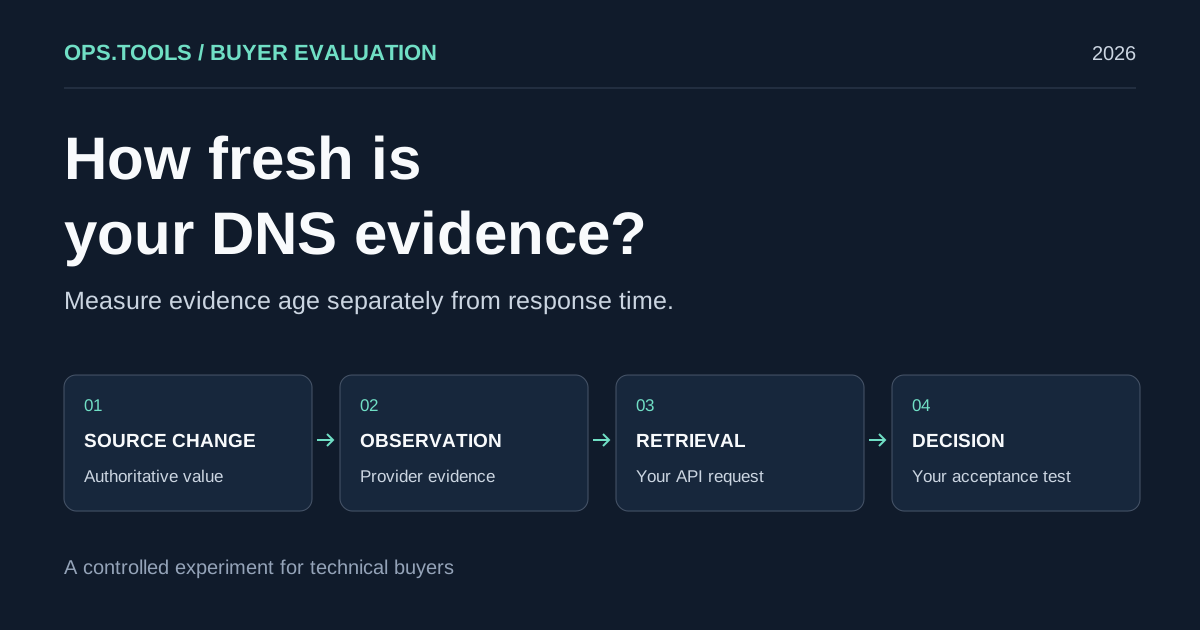
DNS API Data Freshness: A Buyer's Cache Evaluation Test
Evaluate DNS API data freshness with a controlled cache test, evidence timestamps, and buying criteria for release checks, domain audits, and security teams.
White-Label Domain Health APIs for MSPs: A Buyer’s Framework for 2026
Evaluate API-based DNS, WHOIS, IP, SSL, HTTP, and port evidence for branded MSP domain health services, bulk audits, usage controls, and client reporting.
API Usage Governance 2026: Control Credits, Keys, and Team Access Before You Scale
Evaluate domain and network API providers through API key controls, usage exports, credit governance, workflow ownership, bulk jobs, and alert-safe automation.