Infrastructure API Cost Modeling: Forecast DNS, WHOIS, IP, and SSL Usage Before You Buy
Most teams do not overpay for infrastructure data because they picked the wrong endpoint. They overpay because they never translated audits, monitors, incident enrichment, and release checks into a monthly request model.
The Buying Mistake: Pricing One Lookup, Not the Workflow
A single domain check is cheap in isolation. A production workflow is different. A domain portfolio audit may call WHOIS once per domain, DNS several times per host, SSL once per HTTPS endpoint, IP details for every resolved address, and HTTP header analysis for public web apps. A security team may run a smaller set of checks, but run them every time a SIEM alert includes a domain or IP address.
That is why the right commercial question is not "What does the endpoint cost?" It is "How many credits does my operating model burn when it behaves normally, and how much room do I need for burst work?" This post gives you a practical model you can use before you pick pay-as-you-go credits, a monthly plan, or an enterprise agreement.
Verified Ops.Tools Pricing Facts to Use
The pricing page currently states that one credit equals one API request for DNS, WHOIS, IP, SSL, port scan, and similar operations. It also lists pay-as-you-go credit packs and monthly plans. Use the live Ops.Tools pricing page as the source of truth before procurement, because plan terms can change.
| Plan signal | Verified detail | How to model it |
|---|---|---|
| Request unit | 1 credit = 1 API request | Count every endpoint call, not every domain |
| Pay as you go | Credit packs start at 5,000 credits | Good for audits, spikes, and uncertain workloads |
| Monthly plans | Starter, Growth, Business, Premium, and Enterprise tiers | Good for monitors and recurring operations |
| Workflow features | Pricing page lists bulk processing and webhook support | Verify account-level limits before bulk migration |
There are site-level metrics elsewhere on ops.tools that use different wording for uptime, response time, and tool counts. For a buying model, avoid mixing those into the calculation. Credits, endpoint paths, plan quotas, and the exact features attached to a tier are the numbers that affect budget.
Build a Workload Inventory First
Split your use cases into jobs. A job is not a product area like "security" or "DevOps." It is a repeatable action with a predictable asset count, schedule, and set of checks. Most teams discover four jobs: release validation, domain portfolio monitoring, incident enrichment, and quarterly audit work.
| Job | Typical checks | Cost driver |
|---|---|---|
| Release validation | DNS A, DNS TXT, SSL, HTTP headers | Deploy frequency times endpoint count |
| Domain portfolio monitoring | WHOIS, NS, MX, TXT, SSL | Domain count times check cadence |
| Incident enrichment | IP details, WHOIS, DNS, SSL when a domain is present | Alert volume and deduplication rules |
| Security exposure review | HTTP headers, port scanner, SSL, IP ownership | Public endpoint count and scan profile |
Three Example Workload Models
Use examples as shape, not as benchmarks. Your numbers depend on domain count, deployment frequency, alert volume, and how much you deduplicate repeated indicators. The useful exercise is to make assumptions explicit before buying.
Small platform team
A SaaS team with 12 public services might run DNS, SSL, and HTTP header checks on every production deploy, plus a weekly WHOIS and SSL review for a small domain portfolio. The base request volume is driven by releases. The budget risk is not the weekly monitor. It is a week with many hotfixes, previews, and rollback tests.
Model this as a monthly plan if deployment cadence is steady. Keep a small pay-as-you-go reserve if the team frequently launches new regions, customer subdomains, or temporary migration hosts.
Domain operations team
A domain operations group may own hundreds or thousands of domains, but the check cadence is predictable. WHOIS expiration, NS records, MX records, TXT records, and SSL checks can run daily or weekly. The commercial question is whether the plan tier includes the workflow features the team needs, such as bulk processing and webhook notifications.
This workload usually rewards a subscription because base load is easy to forecast. Add separate project codes for one-time cleanup work, acquisition audits, and competitive research so permanent monitoring does not absorb project spikes.
Security and incident response team
Alert enrichment is harder to predict. A quiet month may query only a handful of suspicious domains and IP addresses. A phishing campaign, abuse report, or product incident can multiply request volume in hours. The safest model deduplicates indicators, caches recent results, and caps retry loops.
Use credits when the workload is exploratory. Move to a monthly plan when enrichment becomes part of a formal detection or investigation workflow. If the security team needs contractual support terms, include that in the plan evaluation rather than buying on request price alone.
Step-by-Step Cost Workflow
- List assets. Count apex domains, production subdomains, web URLs, and known IP addresses. Keep customer, staging, and lab assets separate so test traffic does not distort the model.
- Choose check bundles. Define which endpoints each job calls. A domain renewal job may only need WHOIS. A release gate may need DNS, SSL, and HTTP header analysis.
- Set cadence. Record whether the job runs per deploy, daily, weekly, monthly, or only during incident response.
- Add burst allowance. Budget extra credits for migrations, incident spikes, new customer onboarding, and one-time competitive research.
- Compare pricing modes. Use monthly plans for predictable base load and pay-as-you-go packs for overflow, proofs of concept, and client-specific projects.
Technical Implementation
The public OpenAPI file verifies the external base URL and the documented endpoint paths below. Authentication uses the x-api-key header or an x-api-key query parameter. These examples use the header so API keys stay out of logs more often.
cURL: price a single release check
API="https://api.ops.tools"
KEY="$OPS_TOOLS_API_KEY"
DOMAIN="api.example.com"
URL="https://api.example.com"

curl -G "$API/v1-dns-lookup" \
  -H "x-api-key: $KEY" \
  --data-urlencode "address=$DOMAIN" \
  --data-urlencode "type=A"

curl -G "$API/v1-ssl-checker" \
  -H "x-api-key: $KEY" \
  --data-urlencode "domain=$DOMAIN"

curl -G "$API/v1-analyze-http" \
  -H "x-api-key: $KEY" \
  --data-urlencode "url=$URL"
That release check is three documented API requests, so model it as three credits per endpoint per run. If you run it against ten production URLs on every deploy, the job consumes thirty credits per deploy before retries or extra record types.
TypeScript: forecast monthly credits
interface ApiJob {
  name: string;
  assets: number;
  runsPerMonth: number;
  callsPerAssetRun: number;
  burstMultiplier?: number;
}

const jobs: ApiJob[] = [
  { name: 'Release validation', assets: 12, runsPerMonth: 40, callsPerAssetRun: 3, burstMultiplier: 1.2 },
  { name: 'Domain renewal monitor', assets: 180, runsPerMonth: 30, callsPerAssetRun: 1 },
  { name: 'Weekly SSL and DNS audit', assets: 180, runsPerMonth: 4, callsPerAssetRun: 4, burstMultiplier: 1.1 },
  { name: 'Alert enrichment', assets: 900, runsPerMonth: 1, callsPerAssetRun: 2, burstMultiplier: 1.5 },
];

function monthlyCredits(job: ApiJob): number {
  const base = job.assets * job.runsPerMonth * job.callsPerAssetRun;
  return Math.ceil(base * (job.burstMultiplier ?? 1));
}

const forecast = jobs.map((job) => ({ ...job, monthlyCredits: monthlyCredits(job) }));
const totalCredits = forecast.reduce((sum, job) => sum + job.monthlyCredits, 0);

console.table(forecast.map(({ name, monthlyCredits }) => ({ name, monthlyCredits })));
console.log({ totalCredits });
Keep this model beside your domain manifest or Terraform inventory. When the number of domains changes, the cost model changes with it. That is more reliable than trying to reconstruct usage from invoices after a migration or incident surge.
Decision Matrix: Credits, Monthly, or Enterprise?
| Choose this | When the workload looks like | Watch for |
|---|---|---|
| Pay-as-you-go credits | Client audits, tests, migrations, and uneven demand | Manual reordering and surprise bursts |
| Monthly plan | Recurring monitors, CI checks, and stable operations | Base quota, feature tier, and alert thresholds |
| Enterprise agreement | Large portfolios, custom SLAs, procurement needs, or dedicated infrastructure | Contracted limits, support terms, and data handling language |
Budget Guardrails for Bulk and Alerting
Bulk processing does not remove the need for a budget model. It makes one easier to enforce. If your workflow fans out documented single-request endpoints, put a queue in front of the API calls, cap concurrency, and write each completed check to storage. If your account includes a native bulk or batch workflow, validate payload limits and error semantics during onboarding.
The same principle applies to webhooks. The pricing page lists webhook support, but a monitoring system still needs a routing policy: renewal alerts go to domain operations, certificate failures page the owning service team, and HTTP header regressions open a security ticket. Avoid sending every warning to the same channel. Triage fatigue is a cost, too.
How to Reduce Spend Without Reducing Coverage
The cheapest request is the one you do not need to make. Start with deduplication. If the same IP address appears in twenty alerts within ten minutes, enrich it once and attach the same evidence to each alert. If ten subdomains resolve to the same address, query IP details once and reuse the network context.
Next, tune cadence by risk. Domains nearing renewal deserve frequent WHOIS checks. Domains renewed for several years may not. Critical login, payment, and admin surfaces deserve daily TLS and header checks. A rarely used documentation subdomain may only need weekly validation. Matching cadence to risk keeps the model useful to operators and credible to finance.
Finally, separate validation from discovery. Validation checks known assets against policy. Discovery work looks for unknown domains, unexpected hosts, and investigation leads. Both matter, but they should not share the same budget line. When discovery grows, treat it as a security program with its own owner, quota, and success criteria.
Where This Fits with Existing Ops.Tools Guides
If you are still comparing providers, start with the domain data API buyer's guide. If you already know your vendor and need a release workflow, use the CI/CD checks guide. This article sits between those two decisions: it turns the real work your team performs into a credit forecast finance and engineering can both understand.
FAQ
How do I estimate credits for a domain audit?
Multiply domains by the number of endpoint calls per domain. A five-call audit across 400 domains consumes 2,000 credits before retries, extra record types, or follow-up investigation.
Should CI/CD checks use the same quota as monitoring?
They can, but model them separately. Deployment checks are bursty and tied to release volume. Monitoring jobs are predictable and easier to map to monthly plans.
Can an AI agent or MCP server run this model?
Yes as a workflow pattern. Let the agent call an internal forecasting service or a controlled runner that uses the Ops.Tools API. Do not treat MCP as a native Ops.Tools feature unless it appears in the docs.
Model Your API Workload Against Real Pricing
Use one API key for DNS, WHOIS, IP, SSL, HTTP header, and port-check workflows, then choose credits or a monthly plan based on your actual operating model.
Related articles
More guides from the same operational area.
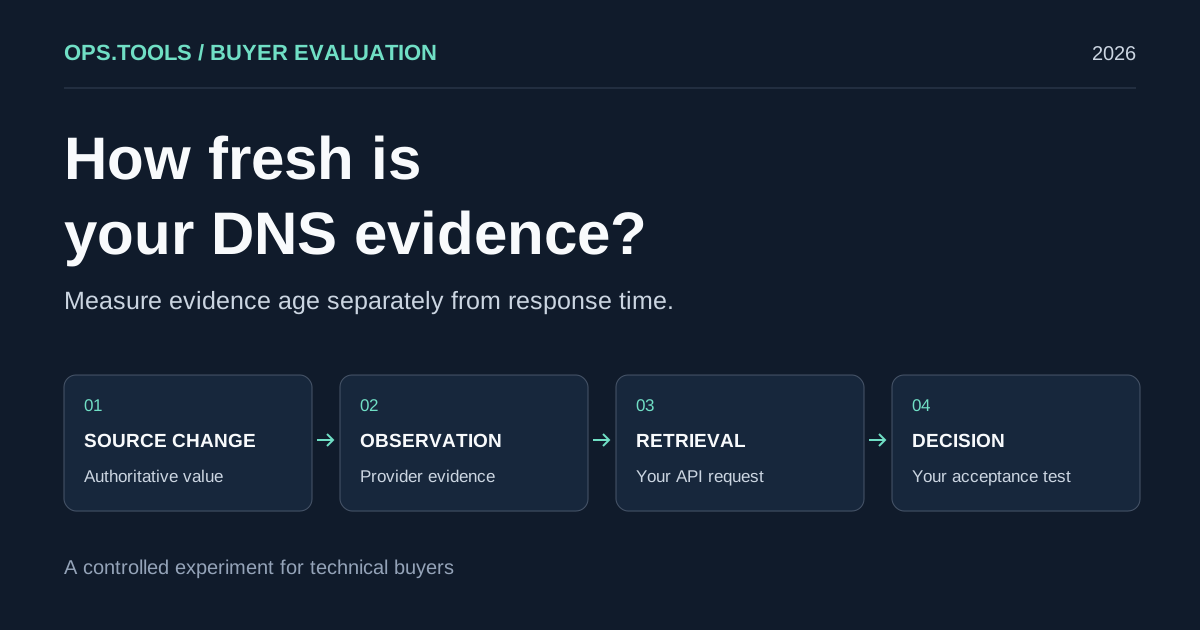
DNS API Data Freshness: A Buyer's Cache Evaluation Test
Evaluate DNS API data freshness with a controlled cache test, evidence timestamps, and buying criteria for release checks, domain audits, and security teams.
White-Label Domain Health APIs for MSPs: A Buyer’s Framework for 2026
Evaluate API-based DNS, WHOIS, IP, SSL, HTTP, and port evidence for branded MSP domain health services, bulk audits, usage controls, and client reporting.
API Usage Governance 2026: Control Credits, Keys, and Team Access Before You Scale
Evaluate domain and network API providers through API key controls, usage exports, credit governance, workflow ownership, bulk jobs, and alert-safe automation.