Domain Monitoring Tools vs DIY Scripts in 2026: DNS, WHOIS, SSL, and Workflow Costs
Most teams do not start with a platform. They start with registrar emails, a few cron jobs, and a spreadsheet that quietly turns into production infrastructure. The real buying decision comes later, when the script pile is already responsible for certificate runway, ownership drift, DNS changes, and a growing list of assets nobody wants to lose.
Where DIY Scripts Usually Break First
The first failure is rarely the lookup itself. DNS answers are easy to fetch. WHOIS text can be stored. A certificate parser works until a new issuer field or a new edge case appears. What breaks first is the operating model around those checks.
Someone has to own API keys, backoff rules, CSV imports, retries, registrar normalization, alert routing, ticket enrichment, and evidence retention. Once the workflow spans platform, security, and procurement, a shell script stops being “just automation” and becomes an internal product with no roadmap, no service level, and no real support path.
That is why a build-vs-buy discussion should start with the workflow, not the endpoint. If your team only checks a few domains before renewals, scripts may be enough. If the same workflow now supports domain portfolio reviews, production release checks, third-party onboarding, and incident response, you are paying real engineering time to keep those scripts trustworthy.
What the Public Ops.Tools Surface Actually Verifies
The cleanest public source for current product scope is the live OpenAPI reference. It documents six external endpoint families: DNS lookup, WHOIS data, IP details, SSL checks, HTTP header analysis, and port scanning. It also documents x-api-key auth in a header or query parameter, a public production base URL of https://api.ops.tools, and JSON responses for each operation.
| Check family | Verified use | Why buyers care |
|---|---|---|
| DNS lookup | Hostname resolution, record validation, optional timing data | Release checks, migration checks, domain portfolio audits |
| WHOIS data | Raw WHOIS text plus optional parsed JSON | Ownership intelligence, expiration tracking, registrar review |
| IP details | Geolocation, ASN, organization, city metadata | Origin validation, routing sanity checks, alert enrichment |
| SSL checker | Validity, issuer, self-signed status, days remaining | Renewal runway, pre-cutover validation, outage prevention |
| HTTP analysis | Headers, redirects, security score, recommendations | Edge policy checks, security review, change control |
| Port scanning | Open, closed, filtered states plus service data | Exposure review, audit support, scoped investigation |
The live marketing pages mention a wider tool set and larger capability claims in places. For a buyer, that is exactly why proof-of-concept discipline matters. Use the live docs and the repo-backed pricing implementation for the adoption decision, then treat broader marketing claims as page-specific until they are documented in the API surface you will actually integrate.
The Three Operating Models Buyers Actually Compare
| Model | Best use case | Tradeoff |
|---|---|---|
| DIY scripts | Small asset counts, one owner, low compliance pressure, simple alerts | Hidden maintenance cost grows fast once multiple teams depend on the output |
| Single current-state ops API | Monitoring, release validation, audits, partner intake, recurring health checks | You still need policy logic, alert destinations, and ownership rules around the checks |
| Research-first or historical data platform | Threat hunting, historical DNS and WHOIS, large investigative search surfaces | Excellent for research, but often not the simplest fit for operational release or monitoring loops |
The market makes this distinction pretty clear. SecurityTrails emphasizes attack surface and SQL-style querying in its developer docs. WhoisXML API offers a broad catalog that spans WHOIS history, DNS history, domain monitoring, and an MCP server. IPinfo leans into IP data products and transparent product pricing. HackerTarget positions a tactical security tool belt with an API, free limits, and extra credits. Those are different product shapes, and buyers should score them against the workflow they actually need to run every week.
Why Public Pricing and Public Docs Matter So Much
Technical buyers do not just compare features. They compare proof-of-concept friction. A platform with public pricing, public docs, and a usable reference surface lets platform engineering answer the first hard questions before procurement gets involved: how auth works, what the response contract looks like, what the monthly request model might be, and which workflows still need internal glue code.
That is one reason product shape matters more than feature marketing. IPinfo publishes product-level pricing and overage structure for its IP data tiers. HackerTarget exposes free limits, member auth patterns, and credit boosts directly in its tool and API documentation. SecurityTrails documents powerful SQL-style search, but its SQL API page explicitly says the product is not included in retail packages and asks buyers to contact sales. WhoisXML API shows a broad product catalog with enterprise bundles, monitoring suites, and many related APIs, which is useful breadth but also means the buyer has to confirm exactly which products map to the intended workflow.
The Hidden Workflow Costs That Make DIY Expensive
| Cost center | What scripts own | What buyers should ask |
|---|---|---|
| Parser drift | WHOIS formats, certificate fields, header policy changes | Who fixes the parser when a production check silently changes? |
| Auth and quota handling | Key rotation, retry logic, rate limiting, cache rules | Can engineering model spend before integration starts? |
| Bulk workflows | CSV imports, parallel fan-out, partial failures, resumability | Does the platform document bulk processing and overflow strategy? |
| Alert delivery | Ticket creation, chat noise control, webhook receivers, severity logic | Is alerting native, webhook-based, or fully custom? |
| Evidence and auditability | Report storage, timestamps, baseline diffs, export formats | Can the team prove what it checked and when it checked it? |
A Proof-of-Concept Workflow That Exposes the Real Cost
- Use a real asset manifest. Pick 20 to 50 production domains, customer-facing hostnames, or endpoints that represent the work your operators actually do.
- Run the same five checks every time. DNS, WHOIS, SSL, HTTP headers, and IP ownership are a solid baseline for current-state operations.
- Measure failure handling. The proof of concept should tell you what happens when a lookup fails, a cert is near expiry, or a hostname resolves somewhere unexpected.
- Score routing and evidence. A result that never reaches the owner is not a monitoring system. A result you cannot export is not good enough for change control or audit review.
- Compare platform spend against engineering time. Put real hours on parser fixes, retries, alert noise, and spreadsheet cleanup. That is usually where the DIY case changes.
Questions Buyers Should Force Into the Evaluation
- What is documented versus implied? If a marketing page promises more than the public API reference, ask which capabilities are documented and supported for the workflow you plan to automate.
- How does bulk work actually fail? One-off demos are easy. Real monitoring runs fail on partial batches, malformed domains, temporary upstream errors, and ownership changes that arrive mid-run.
- What is the alerting boundary? A pricing page can list webhook support, but buyers still need to know whether the platform delivers native downstream integrations or whether their team owns the webhook receiver, queue, and ticket fan-out.
- What evidence comes out of the workflow? Operators need timestamps, baselines, exportable output, and enough metadata to explain why a check failed, not just that it failed.
- How quickly can another team trust the results? The real value of buying is often not the raw lookup. It is the moment security, platform, and procurement all stop revalidating the same data by hand.
Technical Implementation: Run a Current-State Trial
The public API reference uses the x-api-key header, so use that exact auth method in the proof of concept. Start with one domain, then scale to a manifest. This first example pulls DNS records for an apex domain and asks for timing data:
curl -G "https://api.ops.tools/v1-dns-lookup" \
  -H "x-api-key: $OPS_TOOLS_API_KEY" \
  --data-urlencode "address=example.com" \
  --data-urlencode "type=NS" \
  --data-urlencode "getPerformanceData=true"
For ownership and renewal context, pull WHOIS and ask for parsed JSON. That gives the evaluation an easy way to inspect registrar and expiration fields without relying only on raw text.
curl -G "https://api.ops.tools/v1-whois-data" \
  -H "x-api-key: $OPS_TOOLS_API_KEY" \
  --data-urlencode "domain=example.com" \
  --data-urlencode "parseWhoisToJson=true"
A practical proof of concept should also validate certificate state and header posture, because that is where release and monitoring workflows usually need evidence:
curl -G "https://api.ops.tools/v1-ssl-checker" \
  -H "x-api-key: $OPS_TOOLS_API_KEY" \
  --data-urlencode "domain=www.example.com"

curl -G "https://api.ops.tools/v1-analyze-http" \
  -H "x-api-key: $OPS_TOOLS_API_KEY" \
  --data-urlencode "url=https://www.example.com"
Once the single-host checks work, run them against a small manifest in TypeScript. This is enough to evaluate output shape, failure handling, and whether the platform reduces operational work or only changes where that work happens:
const API = "https://api.ops.tools";
const headers = { "x-api-key": process.env.OPS_TOOLS_API_KEY ?? "" };

async function getJson<T>(path: string) {
  const response = await fetch(`${API}${path}`, { headers });
  if (!response.ok) throw new Error(`${response.status} ${response.statusText}`);
  return (await response.json()) as T;
}

async function evaluateDomain(domain: string) {
  const dns = await getJson<{ records?: string[] }>(
    `/v1-dns-lookup?address=${encodeURIComponent(domain)}&type=A`,
  );
  const whois = await getJson<{ whoisJson?: { registrar?: string; expirationDate?: string } }>(
    `/v1-whois-data?domain=${encodeURIComponent(domain)}&parseWhoisToJson=true`,
  );
  const ssl = await getJson<{ certificate?: { isValid?: boolean; daysRemaining?: number; issuer?: string } }>(
    `/v1-ssl-checker?domain=${encodeURIComponent(domain)}`,
  );
  const http = await getJson<{ summary?: { overallGrade?: string; keyRecommendations?: string[] } }>(
    `/v1-analyze-http?url=${encodeURIComponent(`https://${domain}`)}`,
  );

  return {
    domain,
    resolvedIp: dns.records?.[0],
    registrar: whois.whoisJson?.registrar,
    expirationDate: whois.whoisJson?.expirationDate,
    sslValid: ssl.certificate?.isValid,
    daysRemaining: ssl.certificate?.daysRemaining,
    sslIssuer: ssl.certificate?.issuer,
    headerGrade: http.summary?.overallGrade,
    recommendations: http.summary?.keyRecommendations ?? [],
  };
}
Use the Trial to Decide Who Owns the Workflow
The right answer is not always “buy the platform.” Sometimes the correct move is to keep lightweight scripts for one narrow job and add a platform only for shared workflows. But the decision should be explicit. If platform engineering owns the cutover checks, security owns the incident workflows, and domain operations owns renewal monitoring, you need a tool shape that makes those ownership boundaries clear.
That is also where public pricing, documented auth, and a small documented endpoint surface matter. The more shape conversion you have to build around a provider, the more likely you are still running a DIY platform under a different logo. If the point of buying is to reduce internal maintenance, your proof of concept should prove that reduction, not just prove that the API returns data.
A good final test is ownership transfer. Hand the proof-of-concept output to someone who did not write the script. If they can understand the result, identify the next action, and trust the timestamp and context, the workflow is on the right track. If not, you are still paying hidden internal platform cost, even if the lookup itself now comes from a vendor.
If you are already modeling usage and vendor fit, pair this evaluation with the infrastructure API cost modeling guide and the recent SecurityTrails alternatives review. If your bigger pain is domain ownership drift at scale, the domain portfolio automation article is the better next read.
Frequently Asked Questions
When are DIY scripts still enough for domain monitoring?
DIY scripts are usually fine when the asset list is small, the checks are simple, one team owns the workflow, and nobody needs audit-ready reporting or alert routing. Once multiple teams depend on the output, registrar parsing, certificate handling, retry logic, and ownership drift create enough operational work that the script itself becomes a product you have to maintain.
What should technical buyers score first in a proof of concept?
Start with workflow fit rather than feature count. Verify the exact checks you need, the documented auth method, output shape, bulk handling, pricing model, and how exceptions reach the people who own the asset. If a paid proof of concept cannot reproduce your real monitoring workflow with your actual host list, it is not a useful evaluation.
How do research-heavy vendors fit into a build-vs-buy decision?
Research-heavy vendors can be the right choice when historical DNS, historical WHOIS, large search surfaces, or domain research investigations matter more than current-state operational checks. They solve a different problem than a release gate, renewal monitor, or cutover checklist, so buyers should decide whether they need historical research, current-state operations, or both.
Why does public pricing matter if procurement will negotiate anyway?
Public pricing lets engineering model the steady-state workload before legal and procurement finish. That reduces evaluation friction, makes overage risk visible early, and helps platform teams compare a platform against the real cost of keeping the workflow in scripts and spreadsheets.
Test the workflow with the documented API surface
Review the live pricing page, the public API reference, and the browser demos before you decide whether the workflow should stay in scripts or move into a platform.
Related articles
More guides from the same operational area.
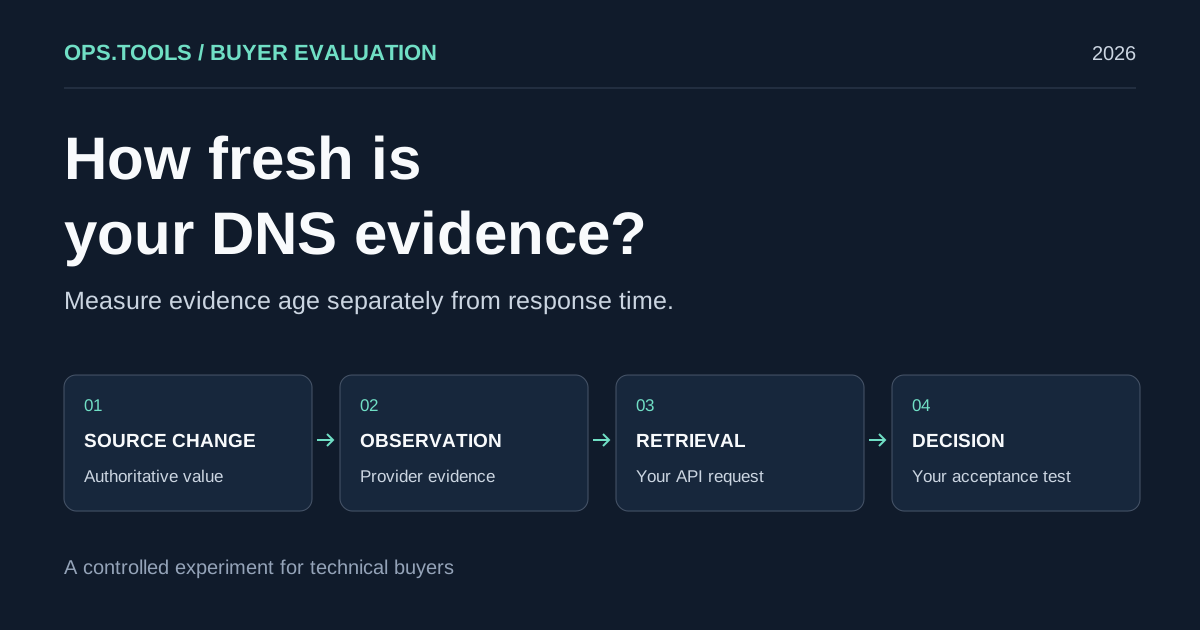
DNS API Data Freshness: A Buyer's Cache Evaluation Test
Evaluate DNS API data freshness with a controlled cache test, evidence timestamps, and buying criteria for release checks, domain audits, and security teams.
White-Label Domain Health APIs for MSPs: A Buyer’s Framework for 2026
Evaluate API-based DNS, WHOIS, IP, SSL, HTTP, and port evidence for branded MSP domain health services, bulk audits, usage controls, and client reporting.
API Usage Governance 2026: Control Credits, Keys, and Team Access Before You Scale
Evaluate domain and network API providers through API key controls, usage exports, credit governance, workflow ownership, bulk jobs, and alert-safe automation.